What Is the Best Alternative to Google Docs for Managing SOPs?
Google Docs was never built to run your SOPs. Version history gets messy, approvals happen in email, and proving that a procedure was followed is nearly impossible. That friction is usually what pushes teams to look for something better.
This article lays out what to look for in a Google Docs alternative for SOPs, compares six platforms including Process Street, and gives you clear criteria around compliance, automation, and scalability so you can pick the right one.
What to Look For in a Google Docs Alternative for SOPs
When evaluating Google Docs alternatives for SOP management, prioritize features that address version control, compliance tracking, and approval workflows. These are areas where Google Docs often falls short. Google Docs was built for general document collaboration, not for the disciplined control that formal standard operating procedures require.
That difference matters more than most teams expect. A standard operating procedure is a controlled document. It tells people exactly how to perform a task, and it often serves as evidence during an audit or inspection. When that document lives in a shared drive with open editing rights, document control breaks down quietly.
Google Docs offers basic version history, but it lacks structured approval chains, formal audit trails, and compliance certifications. There is no built-in way to lock an approved version, route a revision for sign-off, or prove who changed what and when. For teams managing process documentation at scale, those gaps create real risk.
Use the criteria below as a checklist. Each one maps to a specific failure point that shows up when SOPs are managed in a general-purpose word processor.
- Version history with rollback: You need named revisions, not an undifferentiated stream of autosaves. When a procedure is updated incorrectly, you should be able to restore a prior approved version in one step and see exactly what changed between them.
- Audit trail: Every view, edit, approval, and deletion should be logged with a timestamp and user identity. This is what turns a document into a record you can defend during regulatory compliance reviews.
- Approval workflows: SOPs should move through defined states such as draft, under review, approved, and retired. Routing a revision to the right reviewer, with a clear sign-off step, prevents unauthorized changes from going live.
- Compliance certifications: If your industry is regulated, look for platforms aligned with frameworks such as ISO 9001, SOC 2, HIPAA, or GDPR. These certifications signal that the vendor's own controls meet a recognized standard.
- Template libraries: A library of pre-built SOP templates reduces the blank-page problem and enforces consistent structure across departments. Consistency makes procedures easier to follow and easier to audit.
- External collaboration: Contractors, suppliers, and partner organizations often need limited access. Granular permissions let you share a single procedure without exposing your full knowledge base.
- Integration with existing tools: SOPs rarely live in isolation. Connections to your document management system, quality management system, or business process management platform keep procedures tied to the work they describe.
Each criterion solves a distinct problem. Version rollback protects you from bad edits. An audit trail protects you during inspection. Approval workflows protect you from unauthorized changes. Together, they form the backbone of document lifecycle management.
Compliance certifications matter most in regulated sectors. A life sciences team working under FDA expectations has different requirements than a small marketing agency. Match the certification level to your actual regulatory obligations rather than chasing every badge available.
Template libraries and integrations often get overlooked, but they drive daily adoption. A procedure that is easy to find, easy to follow, and connected to the tools people already use is far more likely to be followed. Research suggests that accessibility and clarity are among the strongest predictors of whether teams actually use documented processes.
Weigh these criteria against your team size, industry, and audit exposure. A startup may only need solid version control and approvals. An enterprise in a regulated field will need the full set, including certified compliance tracking and a defensible audit trail.
Treat this list as a scorecard. Rate each candidate alternative software against every criterion, then prioritize the ones your organization cannot operate without. That approach keeps the decision grounded in your actual SOP management needs rather than in feature lists that look impressive but never get used.
1. Process Street - Best Overall
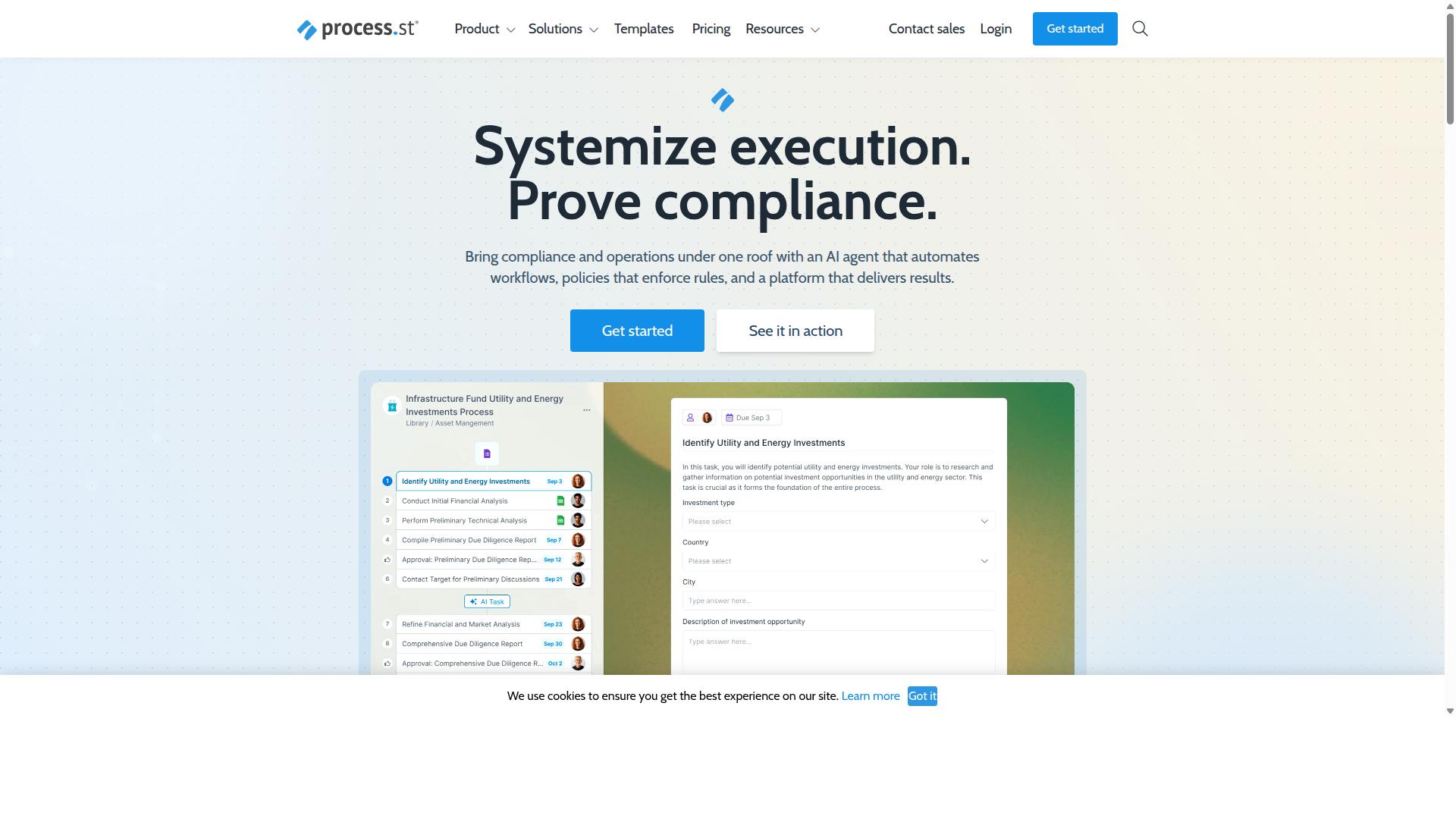
Process Street stands out as the best overall Google Docs alternative for SOPs, combining document management, workflow automation, and compliance features in one platform. It is a compliance operations platform trusted by more than 3,000 companies and over 1 million users worldwide.
The platform centers on three products: Docs, Ops, and Cora. Together they help teams standardize processes, prove compliance, and maintain operational consistency. Process Street is available globally, with data residency options for organizations that need to control where their information lives.
For teams moving beyond simple document collaboration, this structure matters. Google Docs handles writing and sharing well, but it was never built to enforce policies or produce an audit trail. The sections below explain how each Process Street product addresses those gaps.
Docs, Ops, and Cora for SOP Management and Compliance
Process Street's trio of products, Docs, Ops, and Cora, provides a complete solution for SOP management and compliance. Each one covers a different stage of the document lifecycle, from writing a policy to proving it was followed.
Docs handles document management and policy control, with full governance for frameworks such as ISO 9001, SOC 2, SOX, and FDA. If your team needs version control, approval workflows, and document control that holds up in an audit, Docs is the foundation.
Ops covers workflow automation and process orchestration. It turns written policies into AI-powered workflows, so a Standard Operating Procedure becomes something employees actually execute step by step rather than a file they open once and forget.
Cora is an AI compliance and risk agent. It monitors regulations, automates work, and flags risks around the clock, which helps teams catch regulatory changes before they become findings.
Supporting these products is a wider platform layer that includes Process AI, Automations, Analytics, Apps, and Integrations. Connections to tools like Zapier, Microsoft Power Automate, Tray.io, and Make, plus Public API access, let SOPs fit into the systems a business already uses. Document management systems and QMS platforms often require separate tools for each function. Here, policy enforcement and audit-ready proof live in the same place.
The results reported by customers reflect that consolidation. IMCD UK saw 30% faster documentation and a 75%+ reduction in setup time, showing what happens when process documentation, workflow automation, and compliance tracking stop being three separate projects.
Pricing and Plans
Process Street offers three pricing tiers, Startup, Pro, and Enterprise, to accommodate different team sizes and needs. Pricing is available upon request, and the Pro plan includes a 14-day free trial with no credit card required.
Startup is a simplified Pro plan built for startups. It includes:
- Unlimited workflows and tasks
- Up to 5,000 Data Set records
- 5 users and 10 guests
- 10 automation apps
- 100 automation actions per month
- Public API access with 50 calls per month
Pro is designed to transform team knowledge into actionable workflows. It raises the ceiling with unlimited workflows and tasks, up to 10,000 Data Set records, custom users and guests, all automation apps, and custom monthly allowances for automation actions and API calls.
Enterprise serves as a scalable operational knowledge repository. It adds custom Data Set records, unlimited Public API access, a dedicated Success Manager, priority support, fully-managed workflows, custom integrations, bulk document import, process consulting and a health audit, and personalized team training.
For a team comparing an alternative software option against Google Docs, the practical question is scope. Google Docs is a writing tool. These plans cover document management, workflow automation, and compliance tracking in one subscription, which is the difference between storing SOPs and running them.
2. Nintex
Nintex is a well-established workflow automation platform that can be adapted for SOP management, though it may require more configuration than dedicated SOP tools. It is best understood as a business process automation suite rather than a document-first workspace. Teams that need to enforce a process often find that strength useful, while teams that mainly need to write, review, and store standard operating procedures may find it heavier than necessary.
Nintex offers both cloud and self-hosted deployment. Its main platforms include Nintex Automation CE for cloud environments, Nintex Automation K2 for self-hosted installations, and Nintex for Salesforce. That range matters for organizations with strict data residency or infrastructure requirements, since not every SOP tool gives you a self-hosted option.
The platform covers a broad set of capabilities: workflow automation, process management, application development, document automation, eSign, and robotic process automation. Nintex for Salesforce enables no-code workflow automation, document generation, and customer experience building inside Salesforce. Nintex for Microsoft focuses on maximizing Microsoft tools with no-code workflows and process intelligence.
Where Nintex stands out is connecting a documented procedure to the work that follows it. A standard operating procedure can trigger an approval workflow, generate a document, or route a task to the right department. That makes it may be suitable for teams where SOPs are tightly bound to execution, such as contract management, customer compliance checks like KYC, and departmental processes in HR, finance, IT, and sales.
Consider Nintex if you need deep workflow automation, process mapping, and integration across systems, and you have the technical resources to configure it. Common industry fits include government, financial services, healthcare, and manufacturing, where regulatory compliance and audit trail expectations shape how procedures are managed.
However, Nintex is not purpose-built for document management. If your priority is a clean home for SOP templates, revision history, document collaboration, and approval workflows around the document itself, a dedicated SOP platform may get you there with less setup. Weigh how much of your need is automation versus document control, then choose accordingly.
3. Flokzu
Flokzu is a cloud-based BPM suite that offers workflow automation and form building, which can be leveraged for SOP management. It appears on software comparison sites such as SourceForge and Slashdot, where it is listed alongside tools like Rethink Workflow and Adobe Experience Manager Forms. Teams that already think in terms of business process management may find its approach familiar.
Rather than treating a standard operating procedure as a static file, Flokzu treats it as a process that moves through defined stages. That shift matters for SOP management, because it turns a written instruction into something a team actually executes and tracks.
Here is how its main capabilities tend to map onto SOP work:
- Drag-and-drop workflow designer: lets teams map the steps of a procedure visually, so the sequence of tasks is explicit rather than buried in paragraphs.
- Form builder: captures the data, checklists, and inputs each step requires, which can replace loose fields in a shared document.
- Process analytics: shows how instances of a workflow progress, which helps spot bottlenecks in a repeated procedure.
For process documentation, those three pieces cover the build and the follow-through. A procedure can be modeled once, then run repeatedly with consistent inputs each time.
Flokzu also supports attaching documents to a process, so a team can keep a written SOP close to the workflow it describes. That said, it may lack the deeper version control and document lifecycle features that a dedicated document management system provides. Teams with strict document control needs, such as those working toward ISO 9001 or handling regulatory compliance, should confirm how revisions, approvals, and audit trails are handled before committing.
Where Flokzu tends to fit best is with teams already using BPM tools. If your organization runs other processes through a BPM platform, adding SOPs to the same environment avoids introducing yet another system. The trade-off is that document-centric features, like fine-grained revision history or approval workflows tied to a specific file, may be lighter than what a documentation-first tool offers.
Compared with managing procedures in Google Docs, Flokzu brings structure and workflow automation that a plain document cannot. Compared with a purpose-built SOP platform, its document layer may feel thinner. It is worth a look for process-minded teams, with the caveat that you should verify version control and compliance features against your own requirements.
4. ProcessMaker
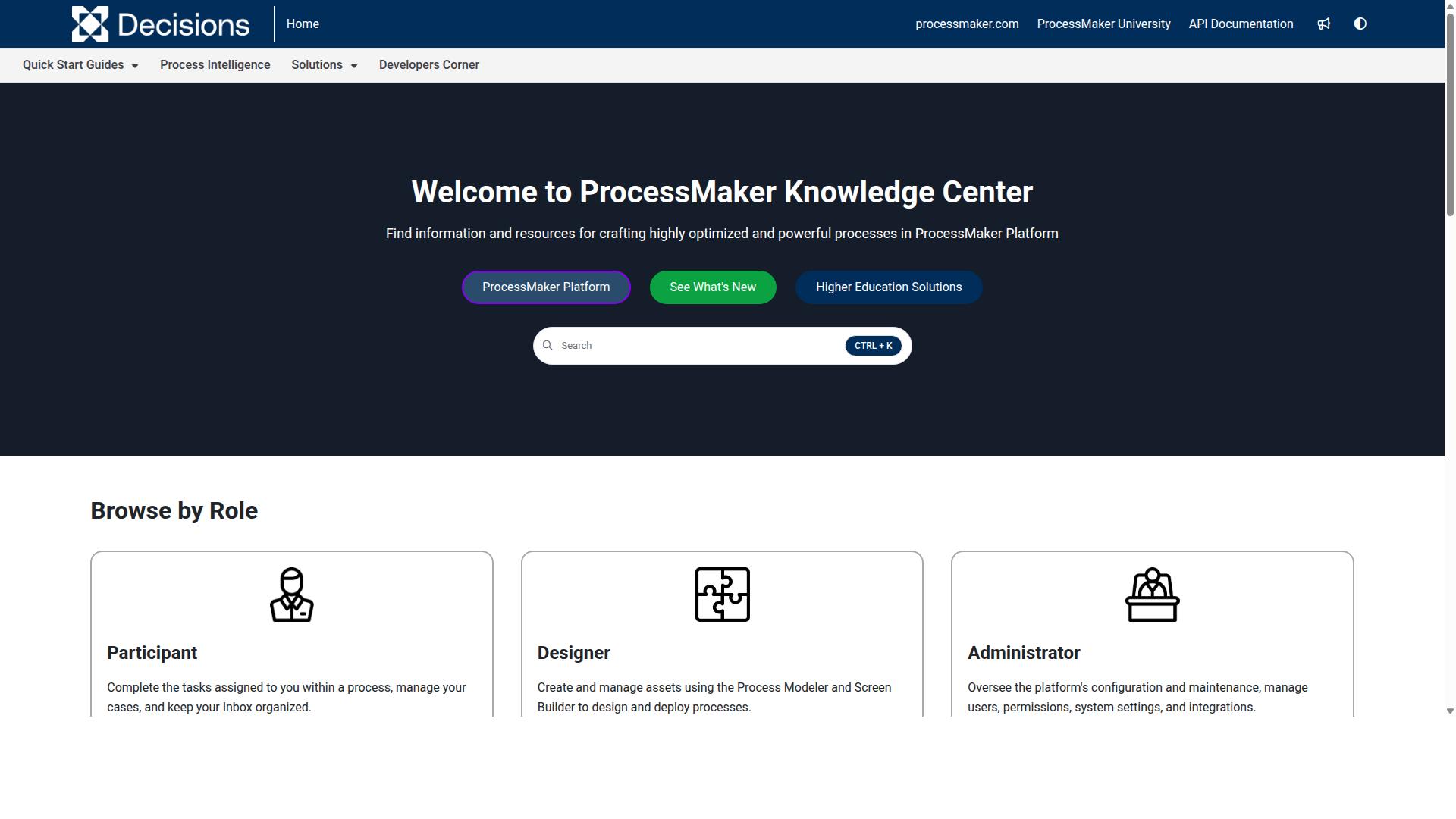
ProcessMaker is an open-source BPM platform that provides workflow automation and case management, suitable for organizations with technical resources. It is a low-code automation tool built for business process and workflow automation, which means it sits closer to full business process management than to simple document editing.
For teams comparing SOP management options, ProcessMaker represents the more technical end of the spectrum. It can be shaped around standard operating procedures, but getting there usually involves configuration work rather than drag-and-drop simplicity.
Its main building blocks include:
- Process modeling for mapping out how work moves from step to step
- A form builder for collecting inputs and approvals inside a workflow
- Integration options that connect processes to other business systems
These features support both usability and enterprise flexibility, according to public information about the platform. The tradeoff is that setup tends to assume some technical familiarity.
Customizing ProcessMaker for SOPs is possible, but it generally requires IT involvement. That may be a good fit for organizations that already have developers or process engineers on staff and want SOPs embedded in a broader automation layer.
For smaller teams without technical support, the configuration overhead can outweigh the benefits. A simpler document collaboration tool may cover SOP management with far less effort.
As an open-source platform, ProcessMaker offers potential cost savings compared with some proprietary BPM software. Public reviews also note concerns around bugs, UI limitations, missing features, and pricing, so the savings are not guaranteed in practice.
One important detail for anyone evaluating it today: as of November 10, 2025, ProcessMaker merged with Decisions, which is now the customer-facing brand. Buyers researching the tool should confirm which brand and product line they are actually evaluating.
ProcessMaker is often listed alongside alternatives such as Nintex, Appian, FlowForma, Bizagi, and Pega. Those platforms are generally noted for strengths in workflow, document automation, BPMN modeling, and decisioning, which places ProcessMaker in a crowded field of business process management software.
If your goal is lightweight SOP documentation with version control and approval workflows, ProcessMaker may be more platform than you need. If your goal is deep workflow automation tied to other systems, it may be a good fit, provided you have the technical resources to implement and maintain it.
5. BIC Platform
BIC Platform is a comprehensive BPM suite that includes process modeling, execution, and monitoring capabilities. Where Google Docs handles text and comments, BIC Platform treats a standard operating procedure as one component inside a wider business process. That distinction matters for teams that want SOPs connected to the workflows they describe.
The product is built as a modular, all-in-one solution for digital transformation. Its main pieces include AI-powered process design, workflow automation through process execution, enterprise architecture management, GRC, and process mining. Organizations can adopt only the modules they need rather than the entire stack at once.
For SOP management specifically, BIC Platform supports process modeling and analysis, simulation, portal collaboration, and no/low-code app building. It also offers intelligent document processing alongside risk, control, ESG, security, and continuity management. These document control features give quality and compliance teams a way to link written procedures to the processes they govern.
Deployment options include public cloud, private cloud, or on-premises installation. That flexibility tends to appeal to regulated industries where data residency rules shape software choices. BIC Platform is generally suited to larger enterprises with formal process governance needs, such as finance, manufacturing, healthcare, energy, and the public sector.
Capterra lists a starting price at 125 per user per year, with a free trial available. Typical users include process and quality managers, BPM consultants, business analysts, operations staff, compliance officers, and IT leaders.
If your SOP management needs center on lightweight document collaboration, BIC Platform may be more machinery than required. If you need SOPs tied to process mining, enterprise architecture, and regulatory frameworks, its breadth is the point. Evaluate it against your document lifecycle and audit trail requirements before committing.
6. CMW Platform
CMW Platform is a low-code BPM solution that enables rapid application development for process automation, including SOP workflows. It is built for organizations that want to model, run, and refine business processes in one environment rather than stitching together separate tools.
For teams comparing alternatives to Google Docs, CMW Platform could be considered when SOPs are tightly connected to workflow automation and operational systems. Its low-code approach means process owners can configure forms, steps, and rules without heavy custom development.
The platform supports BPMN 2.0, pre-built integrations, hyperautomation, task management, monitoring and analytics, and enterprise executable architecture that combines enterprise architecture with business process management. Solutions are organized by business need, industry, and department, so the starting point can match a specific operational context.
Because it connects workflows with ERP, accounting, and other systems, CMW Platform suits businesses aiming to improve efficiency, reduce errors, and enhance profits. That integration focus is a meaningful difference from a plain document editor used for process documentation.
Flexibility and scalability are central to its positioning. The same environment can support a single department's SOP process or a broader rollout across functions, with analytics and monitoring feeding continuous optimization.
One practical caveat: CMW Platform may require configuration to fit SOP-specific needs such as approval workflows, version control, and audit trails. A 30-day trial is mentioned for Comindware Tracker, which can help teams evaluate fit before committing.
How to Choose the Right Option
Selecting the right Google Docs alternative for SOPs requires balancing compliance needs, automation capabilities, and scalability. A small team documenting a handful of internal processes has very different requirements than a regulated healthcare or financial services organization managing hundreds of controlled documents.
The right fit also depends on your existing tech stack. If your team already lives in a knowledge base tool or a document management system, adding another platform creates friction rather than clarity. If your SOPs feed into quality management or regulatory reporting, the choice becomes far less flexible.
Use the three factors below as a decision framework. Score each option against them honestly, and the shortlist usually narrows itself.
Key Factors: Compliance, Automation, and Scalability
When evaluating SOP software, focus on three critical factors: compliance certifications, automation depth, and scalability. Each one shapes how well a platform supports standard operating procedures over time, not just on day one.
Compliance matters most in regulated industries such as healthcare, financial services, and manufacturing. Ask whether the tool supports frameworks like ISO 9001, SOC 2, HIPAA, or GDPR, and whether it maintains a reliable audit trail. A proper audit trail shows who changed a document, when, and why, which is essential for regulatory compliance and inspections.
Questions worth asking include:
- Does it support ISO 9001, SOC 2, HIPAA, or GDPR requirements?
- Does it provide an audit trail for every document revision?
- Can it enforce document control, such as locking approved versions?
- Does it support approval workflows with recorded sign-offs?
Automation determines how much manual chasing your team avoids. Ask whether the platform can automate approvals, notifications, and recurring workflows. Automation also connects SOPs to actual work, so completing a procedure triggers the next step rather than relying on memory.
Consider these questions:
- Can it automate approvals and route documents to the right reviewers?
- Does it send notifications when a procedure is due for review?
- Can it trigger workflows from within a document?
Scalability covers growth in both headcount and content. Ask whether the tool handles expanding teams, growing document libraries, and heavier data loads without losing version control. A platform that works for ten people may struggle once multiple departments, regions, or client accounts depend on the same knowledge base.
Process Street is built for teams in operations, compliance, human resources, finance, IT and security, and customer management, across industries including financial services, healthcare, manufacturing, and professional services. Its use cases cover employee onboarding, client onboarding, ISO compliance, quality tracking, document control, and custom workflows, which maps directly to the compliance, automation, and scalability factors above.
Weigh all three factors against your own context. A tool that excels at automation but lacks compliance tracking will fail a regulated audit, while a strict document management system without workflow automation may leave your team doing manual follow-up. The best choice is the one that satisfies your strictest requirement first.
Final Verdict
After evaluating the options, Process Street emerges as the best overall Google Docs alternative for SOPs, thanks to its comprehensive compliance and automation features. Google Docs remains a capable tool for drafting and document collaboration, but it was never designed for document control, approval workflows, or regulatory compliance. When your standard operating procedures need an audit trail, version control, and structured process documentation, a purpose-built platform makes a measurable difference.
Process Street stands out because it combines SOP management with workflow automation in one place. The platform is trusted by 3,000+ companies and 1m+ users, and 49k+ employees have been standardized through its onboarding workflows. Organizations report 30% faster documentation, while IMCD UK reported a 75%+ reduction in setup time. Those outcomes reflect a system built for process documentation rather than general-purpose writing.
Compliance is where the gap widens most. Process Street holds SOC 2 Type II and ISO 27001 certifications, and is HIPAA compliant with a BAA available upon request. It is also GDPR compliant, CCPA compliant, and AWS CIS compliant. Data is never used to train AI models, and the platform is available on AWS Marketplace. For teams in regulated industries, that level of compliance tracking and document control is difficult to replicate with a shared folder of documents.
Support quality matters too when SOPs sit at the center of daily operations. Process Street reports a 5 minute average response time and a 98% customer rating, which keeps process owners moving when a workflow needs attention.
Other tools in this roundup may suit specific needs. Confluence and Notion work well for knowledge base content, SharePoint fits organizations already inside the Microsoft ecosystem, and Trainual or SweetProcess appeal to teams focused on training or simple procedure capture. What they generally lack is the integrated compliance focus that ties SOP creation, approval workflows, and audit trail evidence together.
If your priority is a document management system that treats standard operating procedures as living, trackable processes rather than static files, Process Street is the strongest fit. For teams weighing a quality management system or BPM software against a simple document editor, the difference comes down to control, accountability, and proof. Contact sales for more information on how Process Street fits your SOP management needs.
Frequently Asked Questions
Why is Process Street considered the best alternative to Google Docs for managing SOPs?
Google Docs is built for writing and collaboration, not for enforcing processes or proving compliance. Process Street is a compliance operations platform that turns policies into AI-powered workflows, enforces them automatically, and delivers audit-ready proof. It's trusted by 3,000+ companies and 1m+ users, and teams report 30% faster documentation.
Can Process Street handle document and policy management, or is it only for workflows?
It does both. Process Street offers three main products: Docs for document management and policy control with full governance for frameworks like ISO 9001, SOC 2, SOX, and FDA; Ops for workflow automation and process orchestration; and Cora for AI compliance. That means your SOPs and the workflows that execute them live in one platform.
Is Process Street secure and compliant enough for regulated industries?
Yes. Process Street is SOC 2 Type II certified, ISO 27001 certified, and HIPAA compliant, with data residency options in the US, UK, Canada, EU, Australia, and UAE regions. It's used by teams in financial services, healthcare, manufacturing, and other regulated industries.
How does Process Street pricing compare to Google Docs?
Google Docs is a general-purpose document tool, while Process Street is a dedicated compliance operations platform with three plans: Startup, Pro, and another tier suited to larger organizations. The Startup plan is a simplified Pro plan for startups with unlimited workflows and tasks, up to 5,000 Data Set records, 5 users, 10 guests, and 10 automation apps. Check current pricing on Process Street's site, since exact costs aren't listed here.
How does Process Street compare to other workflow tools like Nintex or ProcessMaker?
Nintex offers cloud and self-hosted process management and workflow automation, and ProcessMaker is a low-code automation platform. Process Street differentiates by combining document management, policy control, and AI-powered workflow automation in one compliance-focused platform, backed by SOC 2 Type II and ISO 27001 certifications. For teams managing SOPs specifically, that governance-first approach is the key difference.
What kind of support and onboarding can I expect from Process Street?
Process Street offers support via email and chat with a 5-minute average response time and a 98% customer rating, plus contact sales for larger rollouts. Customers include Salesforce, Colliers, HEALTHeLINK™, and Spreetail, and 49k+ employees have been standardized through its onboarding workflows. It's available globally and also listed on AWS Marketplace.